EAT·MOVELoading…

Nutrition + training log · bring your own AI

Your nutrition tracker shouldn't charge you for AI you already pay for.

EatMove logs your meals, workouts and progress through the AI you already use — Claude, ChatGPT, or whatever's next. Real dashboard. Real database. Your data, owned by you.
See how it works ↓
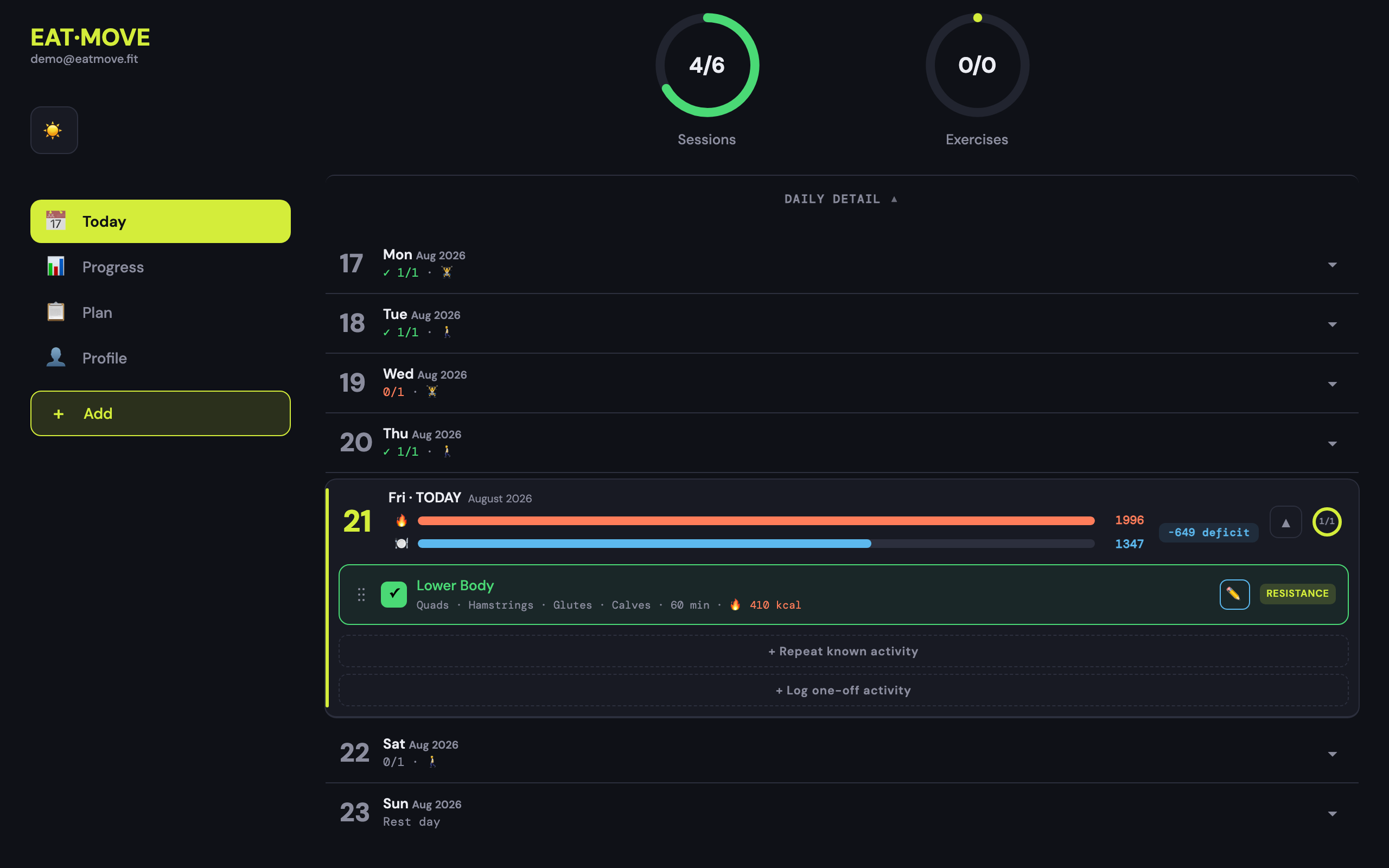
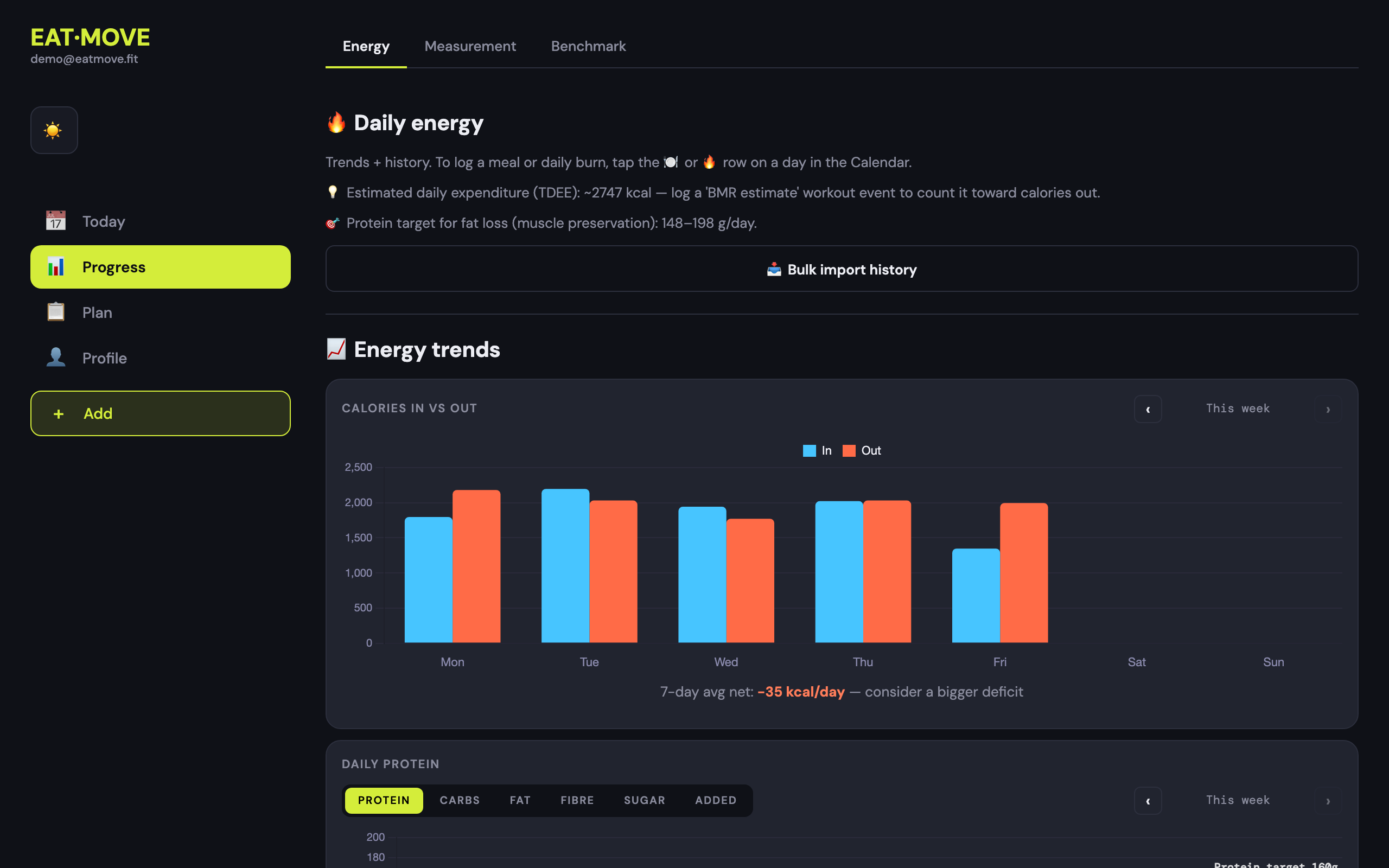
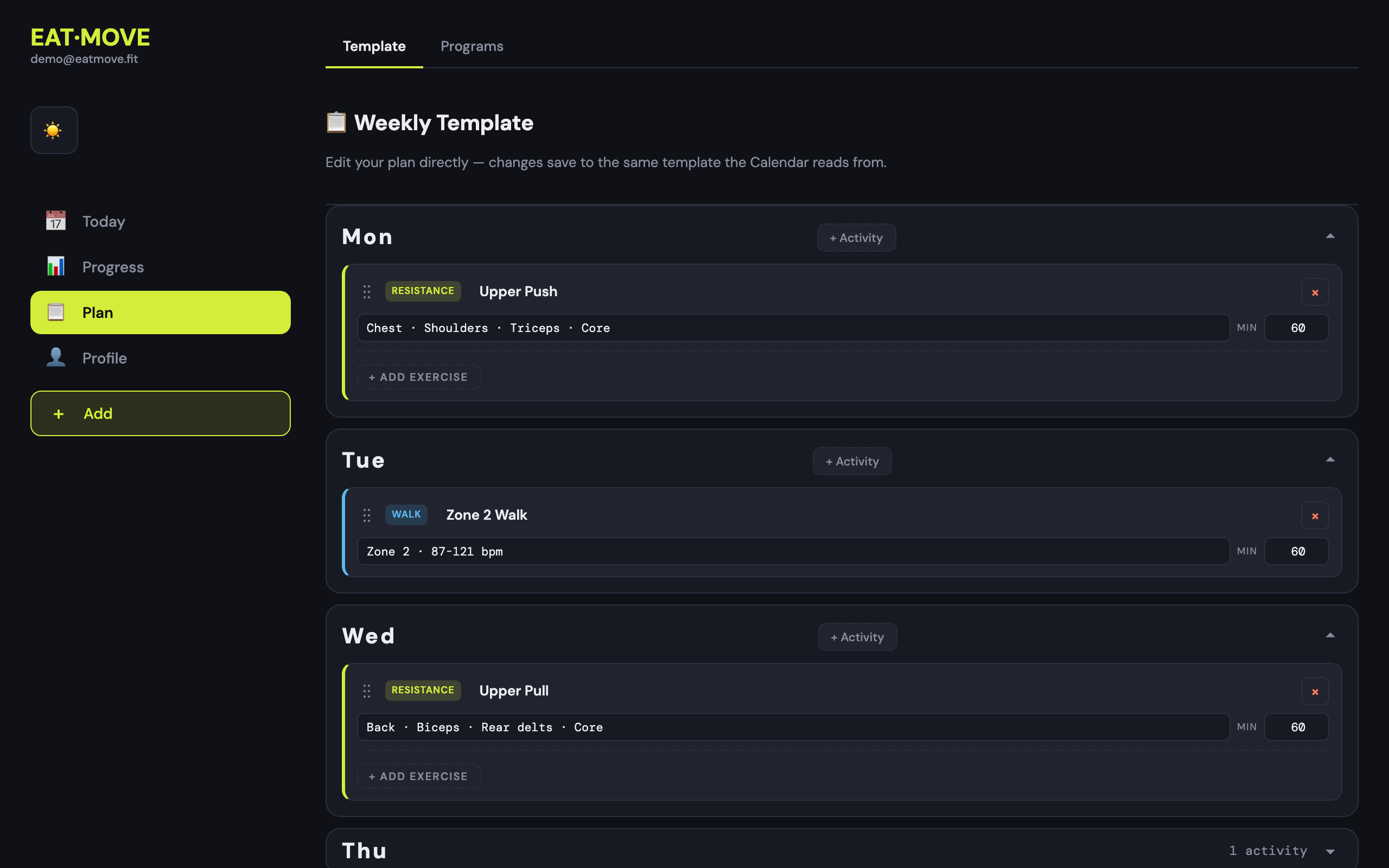
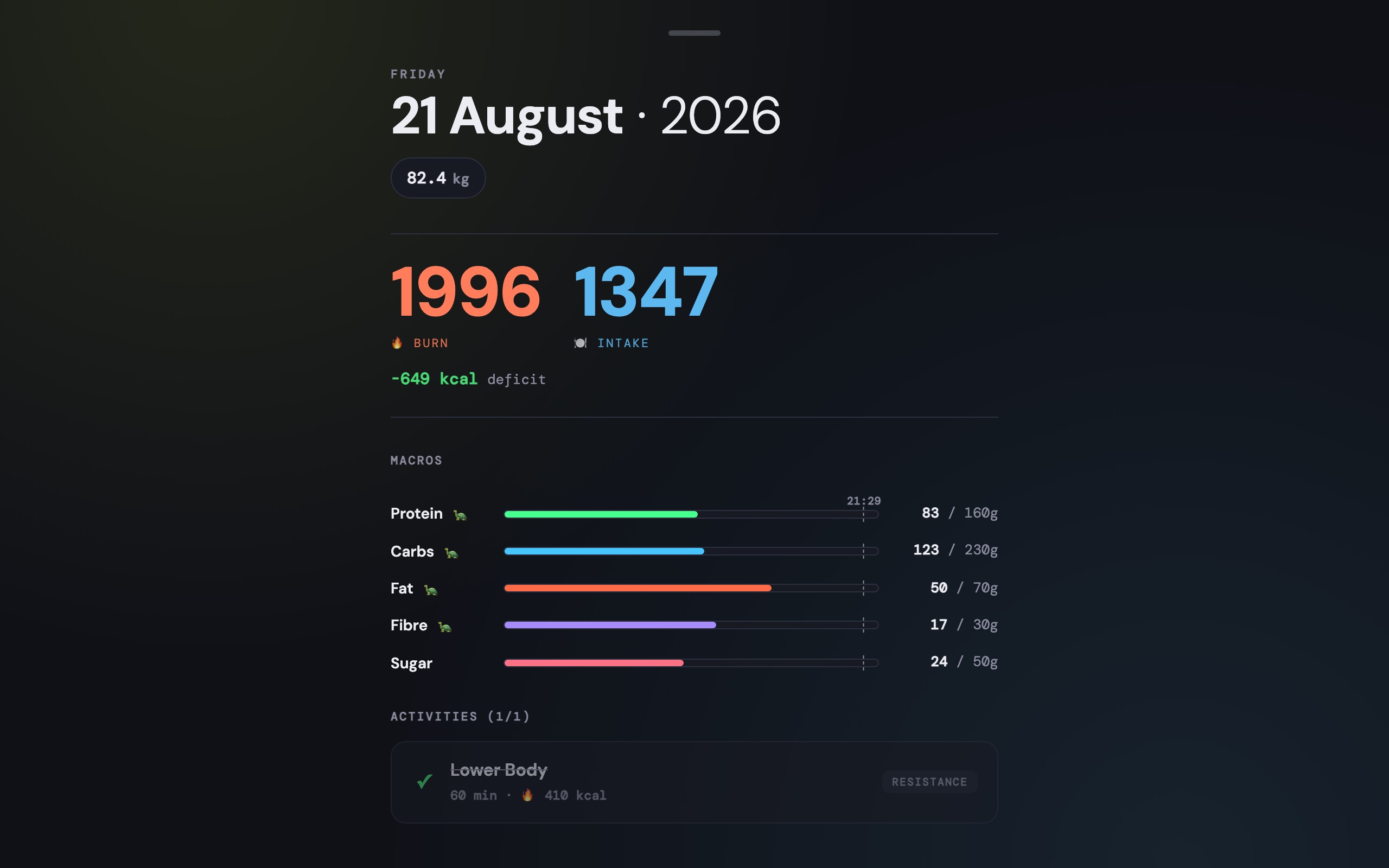
The EatMove Today view: burn vs intake, today's session, and what you've logged
💬

Log how you actually live

Tell your AI "had eggs, toast and a flat white" → logged. Or tap it in. Voice, photo, text, manual — same data, your call.

🗄️

Your data is actually yours

A real database with your full history. No ads, no walled garden. Take it to another tool tomorrow if you want.

🔌

Bring your own AI

You already pay for Claude or ChatGPT. EatMove plugs straight in. No second subscription, no API keys, no inference bill from us.

Works with the AI you already use

EatMove exposes your log as a set of tools your assistant can call. Connect once, then just talk.

  1. Sign in with Google above.
  2. Add the connector — in Claude: Settings → Connectors → Add custom connector → https://eatmove.fit/mcp. Approve the one-time access screen.
  3. Talk. Log meals, check your protein, ask what's scheduled, review the week.

Works with Claude, Claude Code and any MCP-capable client. You can revoke access any time from your profile. Found a bug or want something? info@eatmove.fit.

Example conversation
had 2 eggs, sourdough toast and a flat white
log_meal Logged Breakfast — 512 kcal · 28 g protein · 41 g carbs · 22 g fat. That's 38% of today's protein target with lunch and dinner still to come.
what's on today?
get_calendar Upper body at 18:00 — push day. It's a resistance day, so your carb target is 260 g rather than 200 g.

Want the details?

How the day model works, what your AI can and can't do, how access and your data are handled.

Read how it works →

🎉 Welcome to EatMove

Two ways to get started — pick whichever fits.

📝 Set up my profile

Tell us about yourself — age, weight, equipment, schedule. We'll generate a starting weekly plan you can edit and rebuild any time. Takes about 3 minutes.

🤖 Skip — I'll use my AI agent

Start with an empty profile + empty calendar. You can later say things like "set my profile to 35y, 75kg, gym + dumbbells, 5h/wk, generate a plan" from your AI agent on Claude Desktop / Code / Cursor and it'll populate everything via the MCP tools. See Profile → 🤖 AI Agents once you're in.
You can always come back to the profile wizard from the Profile tab.
STEP 1 OF 4 — THE BASICS

👤 The basics

Biases exercise selection and rep ranges. Leave blank if you only have one focus.
Heads up — plan generator limitation
The built-in generator is currently tuned for men aged 30–50. If you're outside that cohort, the generated plan is a fine starting point but ask your AI agent for a better-tailored plan via the MCP tools — every other part of the app works the same for everyone.

📋 Your proposed plan

Generated from your profile. Regenerate for a different variation, or save to lock it in.
THIS WEEK
0/0
Sessions
0/0
Exercises